Software · In development
I-gineer
Engineering software that runs on your own computer: design, calculate, draw and have it made, from a first sketch to the G-code for the mill.
I-gineer is in development. It cannot be downloaded yet and there is no date on it: it will appear here once it is finished and holds up over the whole road from design to finished part. Send us a message from the home page if you would like to hear when that is.
What it becomes
From sketch to finished part
I-gineer brings the four steps of a design together in one program, so a change to the model carries straight through to the calculation, the drawing and the manufacturing file. That is where the work goes wrong today: a dimension that changes in the model and stays put in the drawing.
Design
Parametric 3D with a history you can step back through: sketches with dimensions and constraints, primitives, sheet metal, welded frames, free surfaces, patterns and mirroring, and a library of standard parts and supplier STEP files.
Calculate
Stress analysis on the model itself, with buckling, plasticity, large deformations and rubber, plus topology optimisation that removes material where it carries nothing. Joints between parts really move and report collisions.
Draw
A technical drawing on A3 to ISO, with sections, detail views, dimension chains, tolerances to ISO 2768, geometric tolerances, surface finish, parts list and title block. Alongside it, free 2D drafting with layers and snaps, in DXF and DWG.
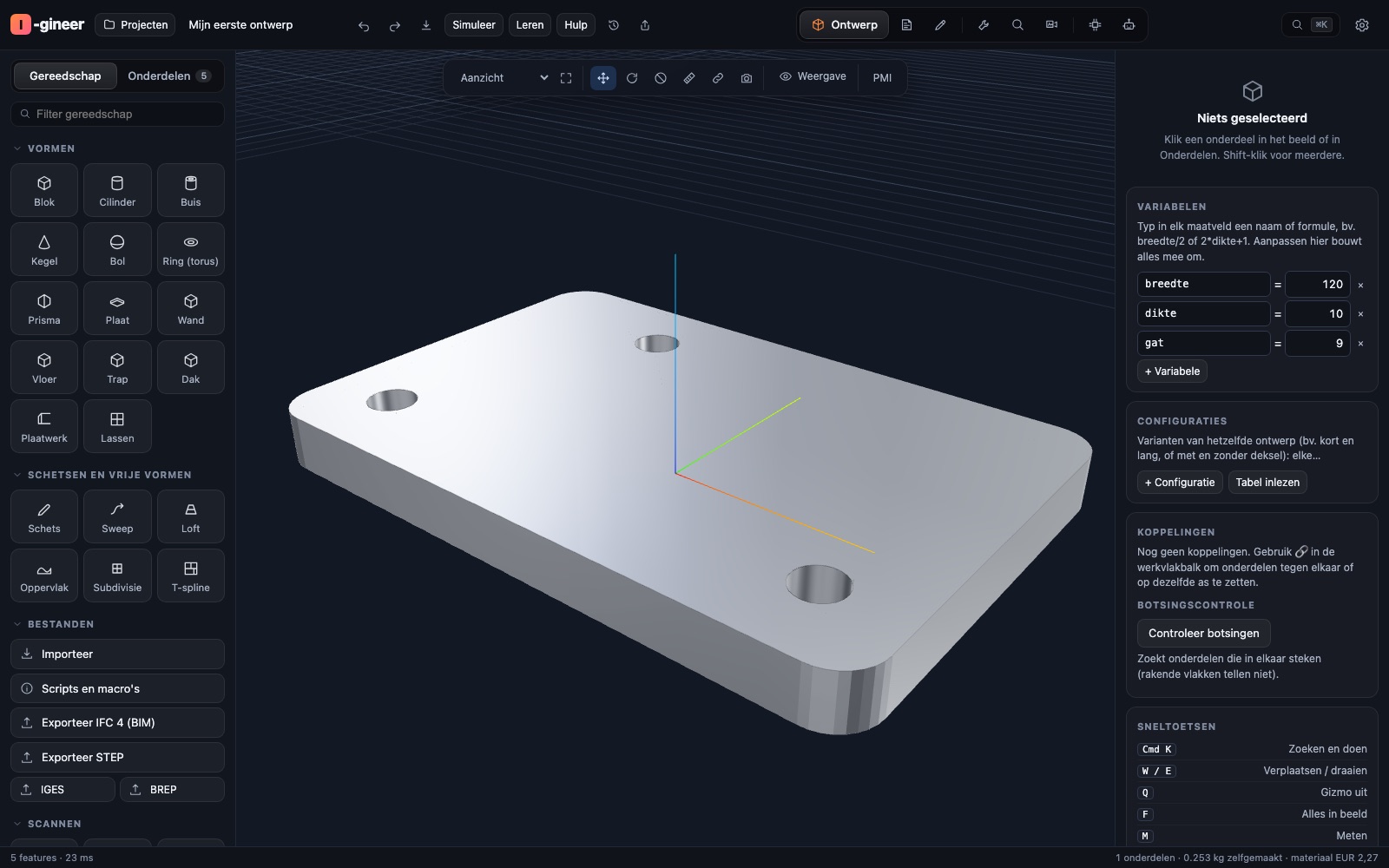
A dimension lives in one place
Change the width in the model and the calculation, the drawing and the manufacturing file change with it. That is the difference between a drawing program and engineering software.
Have it made
The manufacturing file comes out of the same model
A drawing is not a part. What the machine needs rolls out of the same history, so no second truth grows up beside the model.
Milling and turning
Profiles, holes and pockets to depth, cleared normally or adaptively, 3D milling with a ball nose, and a simulation that shows the material coming off. G-code with cutter compensation, tabs and nesting, plus DXF and SVG.
Sheet metal and welding
Sheet metal unfolding with bend lines for the press brake, and for welded frames a cutting list and a saw plan that lays out the profiles with little waste.
3D printing
A verdict on manufacturability before printing starts, an estimate up front, and export in 3MF, STL, OBJ and GLB. If a part does not fit the print bed, it is cut into pieces that do and the cuts stay movable.
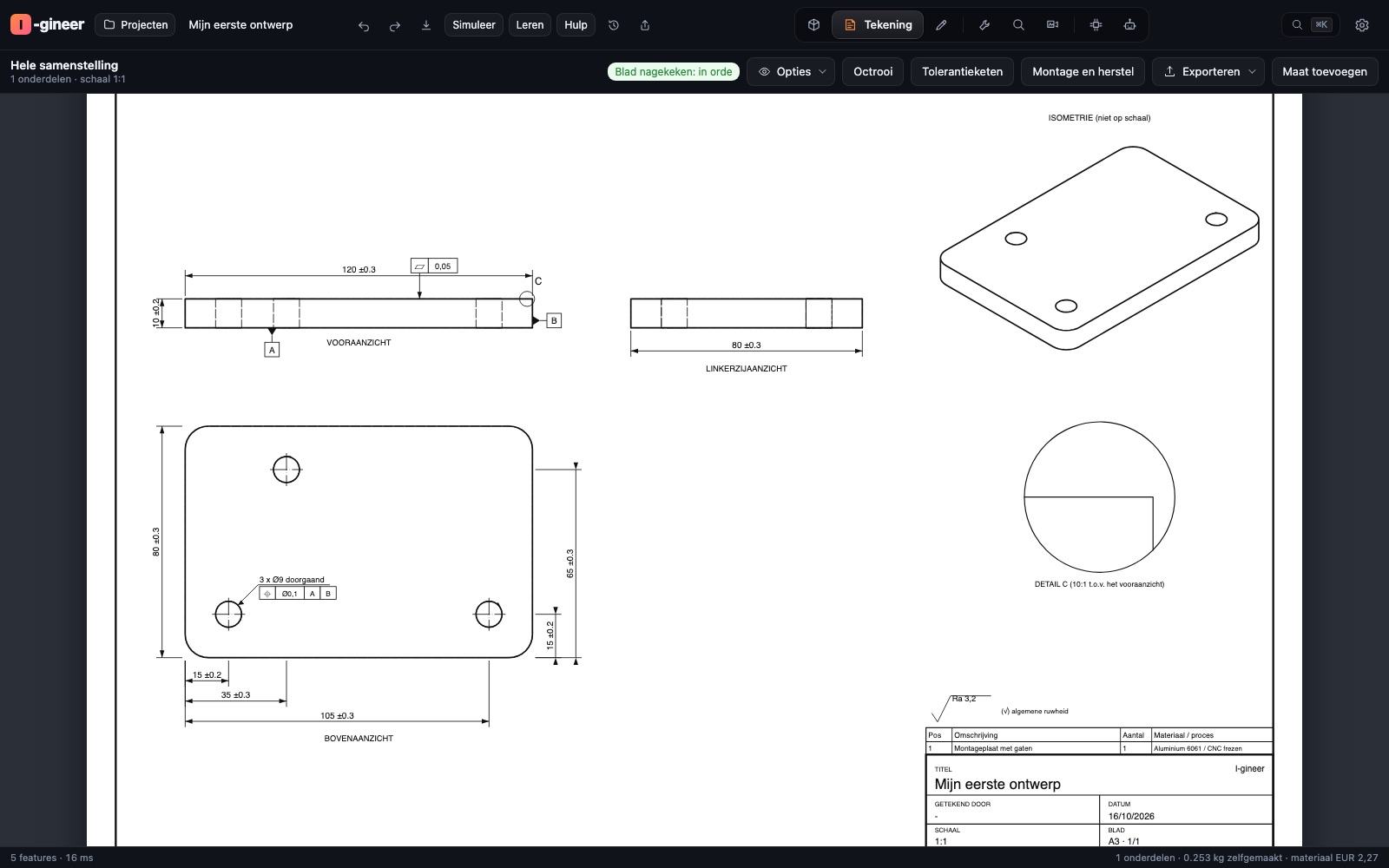
Choices that stand
Why it is built this way
Everything on your own computer
No cloud, no subscription for storage, no project sitting on someone else's server. The heavy calculations run on your own machine and your files stay in your own folders.
What you make is yours
Models, drawings and manufacturing files are yours, in open formats other programs read as well: STEP, DXF, SVG, G-code, 3MF, STL and GLB.
Built to be repaired
The software pushes your design towards modular and repairable: every part off with ordinary tools, spare parts per part, and mounting points that can take a stronger motor or battery later.
More than drawing
What else belongs to it
A design rarely starts at an empty drawing. That is why there are three workplaces beside the drafting.
From image to 3D
Turn a photo, a sketch or an old drawing into a model, by extruding, revolving, making a relief or building it up from three views.
Research and calculators
Looking up modules, parts and suppliers, with calculators for springs, bearings, shafts and gears at hand.
Electronics and robots
For those who go beyond metal and plastic: own devices and robots, with the control in the same project.
Also by Talitha Holding
MUSIC 7 can be downloaded and activated. I-Build, building software for a complete house, is in development like I-gineer.
All software